Features
Job costs, from crew hours to the last receipt
The Project costs tab brings labor from recorded hours, materials used, approved vehicle compensation, and other expenses together by currency. Compare those recorded costs with the agreed contract value while the job is still in progress.
See the margin and what is still missing
Set the agreed contract value and currency on the project. HiVis shows the difference between that value and costs recorded so far in the same currency. Linked quotes remain available for reference.
Unapproved hours, missing rates, materials without costs, and pending mileage claims are flagged. Margin stays hidden until these issues are resolved and all costs share one currency. It reflects recorded costs, not a forecast of the final profit.
Review receipts before recording costs
Record an expense manually or upload a receipt or supplier document. When AI extraction is configured, you can ask it to draft the details, then compare them with the original and confirm the amount, currency, and destination.
Confirm the document as a project expense or a stock receipt. Stock purchases become project costs when the materials are used, so receiving them does not charge the job twice.
Labor cost against the budget
Give each project a labor budget. HiVis prices every hour at the rate the person had on that date, so a raise in March doesn’t change what January’s work cost.
- Budget status shows how much of the labor budget is spent.
- Email alerts go out when labor spend gets close to the budget or goes over it.
- Missing costs: hours without a rate and materials without a unit cost are shown separately, not counted as zero.
- Vehicle costs: approved compensation for work trips in crew members’ own vehicles shows on the project’s Vehicle transport costs tab, separate from labor and the labor budget.
Materials issued to the job
When stock is issued to a project with its unit cost, it shows on the project’s Materials tab. Returns are subtracted, so you see the net material cost, grouped by currency.
Where the numbers come from
Set the budget
Add a labor budget to the project.
Record hours and materials
Hours come from crew timesheets. Materials come from stock issued to the project in tool and stock tracking.
Watch the job
The project shows labor spent against its budget and the net material cost. When spend gets close to the budget, HiVis emails the people who can see labor costs.
Reports by job and person
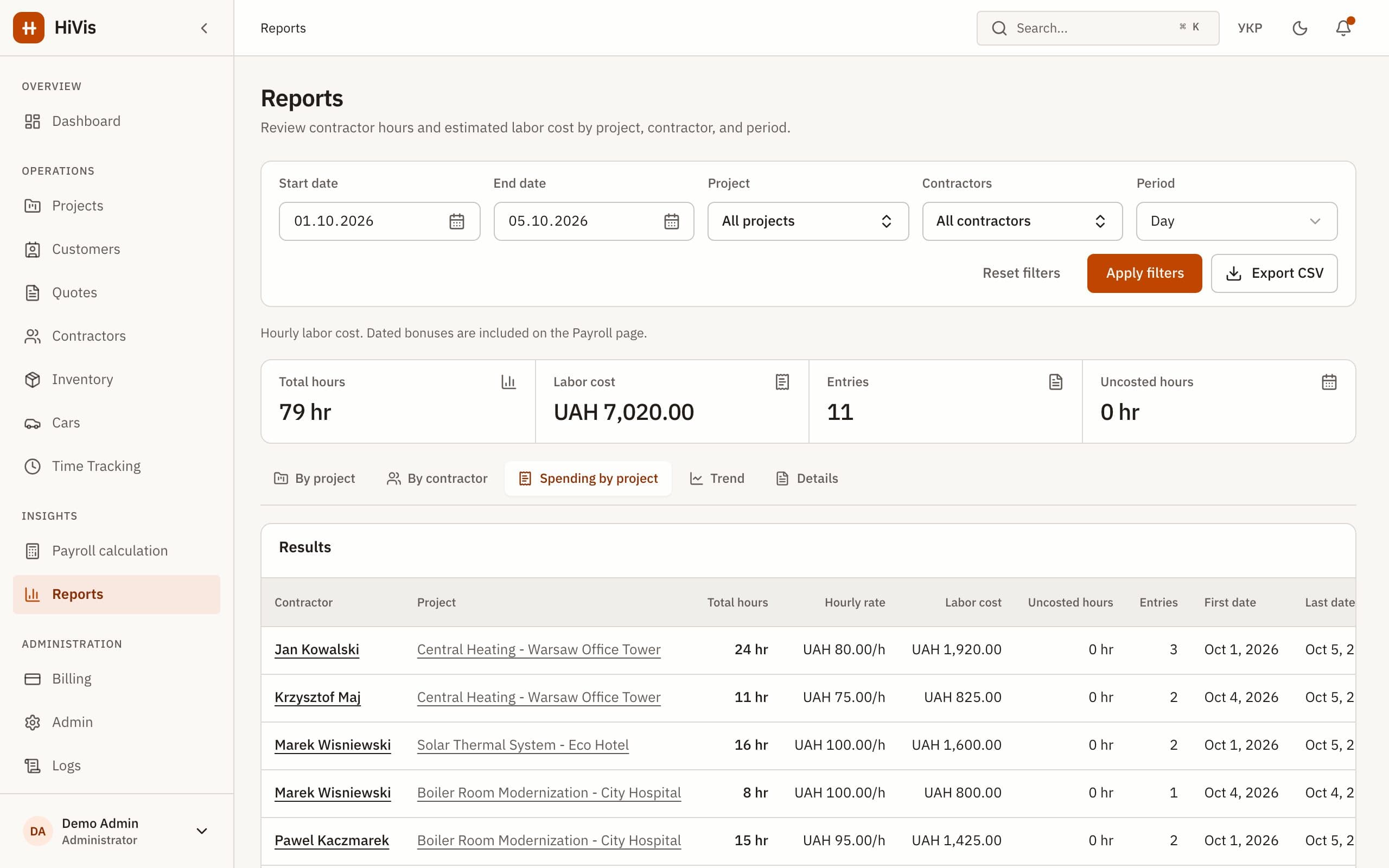
Reports show hours and labor cost by project and by person, with CSV export for your accountant or your own spreadsheets.
A quote’s sales price stays separate from the project’s internal cost budget, so what you charge and what you plan to spend don’t get mixed up. See quotes.
What HiVis doesn’t do
- No overhead allocation.
- No invoicing, and no profit calculation against invoices.
- The labor budget covers labor only. Materials are shown separately, not counted against it.
- No accounting integration: reports export to CSV.
Questions and answers
See your crews, hours and costs in one place
Book a 30-minute demo or start a 30-day trial. We set up your workspace and help move your data.