Features
Crew timesheets by job, reviewed before payday
HiVis records how many hours each person worked on each job, each day. The office or a foreman enters the hours, a reviewer approves them before payroll, and every entry shows up in the job’s labor cost as soon as it’s entered, with no spreadsheet in between.
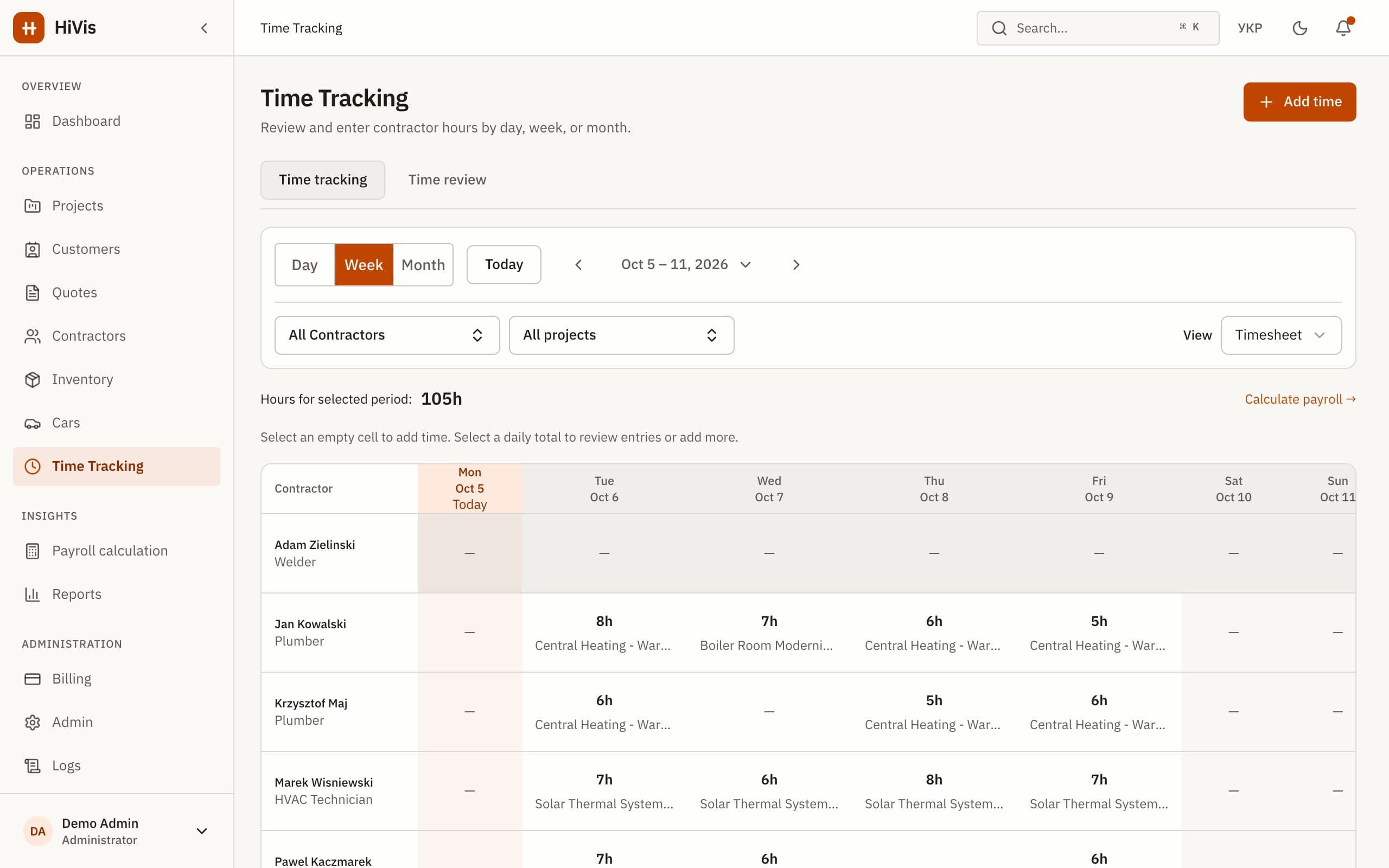
Hours by person, job and day
Each entry is one person, one job and one day, with the hours worked and an optional note. Crew members are records in HiVis, so they don’t need their own logins; the people who enter and review hours do.
Enter the day’s hours
The office or a foreman adds hours for each person and job, from paper sheets, messages or a call at the end of the day.
Submit for review
Entries move from draft to awaiting review. A reviewer sees everything submitted for the period in one list.
Approve or send back
Approved hours are ready for payroll. Anything wrong goes back with a correction note, and only then can it be edited.
Reminders when hours are missing
The morning after each workday, HiVis can email the people who log time when someone on an active job has no hours for that day. Gaps get fixed while people still remember the day.
Where the hours go
- Payroll: hours are priced at each person’s hourly rate on that date, and a pay period closes only when all its hours are approved. See timesheet to payroll.
- Job costs: each job shows the labor hours and cost spent against its budget, counted as soon as hours are entered, before approval. See job costing.
- Locked history: once a pay period is closed, its hours can’t be changed. Corrections go into a later period.
What HiVis doesn’t do
- No mobile clock-in app or GPS attendance checks. Hours are entered by the office or a foreman; optional vehicle GPS trips are reviewed separately.
- No start and finish times in the app: each entry records hours worked per person, job and day.
- The crew schedule records planned bookings. It does not automatically turn them into hours worked.
Questions and answers
See your crews, hours and costs in one place
Book a 30-minute demo or start a 30-day trial. We set up your workspace and help move your data.